The landscape of book publishing is shifting under our feet, powered by the incredible surge of artificial intelligence. Once the exclusive domain of professional designers or budget-straining freelance bids, creating a compelling book cover is now more accessible than ever for authors thanks to new AI tools. But with so many options emerging, how do you make sense of the noise and find the right fit for your next bestseller?
This guide is your compass for Comparing Top AI Book Cover Tools, designed to cut through the marketing jargon and give you the clear, actionable insights you need. We'll explore the heavy hitters, the specialized niche players, and the critical considerations that separate a dazzling digital image from a print-ready, market-savvy book cover.
At a Glance: Your AI Book Cover Toolkit Cheat Sheet
- Midjourney: Best for stunning, artistic visuals, especially fantasy, sci-fi, and horror. Requires external typography.
- DALL-E 3: Unmatched user-friendliness and iterative prompting via ChatGPT Plus. Watch out for "plastic" feel and strict filters.
- Adobe Firefly: Copyright-conscious and seamlessly integrated with Adobe Creative Cloud. Great for expanding scenes.
- Print Readiness is Key: Most AI images need upscaling (300 DPI, ~2500px shortest side) and correct aspect ratios for physical books.
- Human Touch for Text: Never rely on AI for your book's title and author name. Use design software for crisp, legible typography.
- Legal Landscape: AI art typically isn't copyrightable in the US. Always verify commercial rights with your chosen tool's Terms of Service.
- When to Hire a Pro: For complex scenes, cohesive series branding, or budgets over $300, human designers offer irreplaceable nuance and market expertise.
The AI Revolution in Book Covers: Empowering Authors in 2026
In 2026, the promise of AI book cover generation isn't just hype; it's a game-changer. These tools are significantly lowering the barrier to entry, offering speed, affordability, and genre-specific aesthetics that were once out of reach for many indie authors. Imagine being able to conjure a striking visual that perfectly captures your story's essence in minutes, not weeks. This newfound independence is powerful, allowing authors to prototype ideas, iterate rapidly, and even produce high-quality covers on a shoestring budget.
However, it's crucial to understand that AI isn't a magic bullet. While it excels at visual ideation and execution, there are nuances and limitations that seasoned authors — and this guide — will help you navigate. The goal isn't to replace human artistry entirely, but to empower you to leverage these incredible tools intelligently, knowing when AI shines and when a human touch is still indispensable.
Deep Dive: The Heavy Hitters in AI Book Cover Generation
When you start exploring the world of AI book cover creation, three names consistently rise to the top: Midjourney, DALL-E 3, and Adobe Firefly. Each brings a unique set of strengths and limitations to the table, making your choice dependent on your specific needs, technical comfort, and desired aesthetic.
Midjourney: The Aesthetic Powerhouse
If you're chasing raw artistic quality, breathtaking lighting, and intricate textures, Midjourney is often considered the gold standard. It’s an aesthetic heavyweight, consistently producing images that feel professionally rendered and deeply atmospheric.
Strengths:
- Unparalleled Image Quality: Midjourney truly excels in creating visuals with a rich, painterly quality. It's adept at handling complex lighting scenarios, generating realistic textures, and achieving a visual depth that often surpasses its competitors. This makes it an ideal choice for genres where atmosphere and visual richness are paramount.
- Genre Mastery: For authors writing fantasy, sci-fi, or horror, Midjourney often feels like it was built just for you. It effortlessly generates atmospheric, high-concept visuals, from epic landscapes to intricate character designs. Think oil painting aesthetics for high fantasy or gritty, cyberpunk vistas for sci-fi – Midjourney delivers.
- Artistic Control (with Practice): While initially intimidating, mastering Midjourney's prompting syntax unlocks incredible creative control, allowing you to fine-tune styles, compositions, and moods to a remarkable degree.
Limitations: - Discord-Based Interface: Midjourney primarily operates within Discord, which can be a significant hurdle for those unfamiliar with the platform. It's not a standalone web app, and the interface can feel less intuitive than others, requiring a learning curve to navigate commands and manage generations effectively.
- Text Generation Struggles: This is Midjourney's Achilles' heel for book covers. It cannot reliably handle text. Any attempt to generate titles or author names within Midjourney will result in garbled, illegible approximations. This means you must integrate external software like Photoshop or Canva for all your typography needs.
- No Iterative Conversation: Unlike some other tools, Midjourney doesn't engage in a natural language "conversation" to refine images. You typically regenerate with modified prompts rather than asking it to "make the dragon scarier" on an existing image.
Best For: Authors prioritizing stunning visual art and willing to use additional software for text, especially for genre fiction like fantasy, sci-fi, and horror.
DALL-E 3: The User-Friendly Storyteller
DALL-E 3, particularly when accessed through ChatGPT Plus, stands out for its sheer user-friendliness and incredible natural language processing capabilities. It feels less like a tool and more like a creative partner you can converse with.
Strengths:
- Unrivaled User Experience: This is perhaps DALL-E 3's biggest advantage. If you have a ChatGPT Plus subscription, you can generate images directly within the chat interface. This means you can describe your vision in plain English, and DALL-E 3 will attempt to bring it to life.
- Iterative Refinement: Where DALL-E 3 truly shines is its ability to engage in a conversation. You can ask it to make specific changes to an existing image – "make the character's expression more hopeful," or "add a mysterious glow behind the spaceship" – and it will understand and apply those adjustments. This iterative process speeds up concept development immensely.
- Excellent Natural Language Processing: Its understanding of complex prompts and nuances is top-tier, allowing you to articulate intricate scenes and concepts with ease.
Limitations: - "Smooth, Plastic Sheen": Unless you're very specific with your prompts, DALL-E 3 images can sometimes have a somewhat artificial or "plastic" smoothness, lacking the organic texture often found in Midjourney. Careful prompting (e.g., "gritty textures," "oil paint style," "cinematic light") can mitigate this, but it requires awareness.
- Strict Safety Filters: While important for ethical AI, DALL-E 3's safety filters can be frustrating for authors in certain genres. For romance, horror, or even some action-heavy sci-fi, specific tropes or visual elements might be flagged and rejected, forcing you to rephrase or water down your vision.
- Less Artistic Freedom (Compared to Midjourney): While great for concepts, it might not always achieve the bespoke, high-art feel that Midjourney can consistently produce.
Best For: Authors who value ease of use, conversational iteration, and want to quickly visualize concepts without a steep learning curve.
Adobe Firefly: The Copyright-Conscious Integrator
Adobe Firefly enters the ring with a significant differentiator: its approach to copyright and its seamless integration into the Adobe ecosystem. For authors already embedded in Adobe Creative Cloud, Firefly offers a compelling and secure option.
Strengths:
- Copyright Confidence: This is Firefly's standout feature. Unlike many AI models trained on vast, uncurated datasets, Firefly is trained on Adobe Stock's licensed content, public domain images, and content where Adobe has explicit permission. This significantly reduces concerns about potential copyright infringement, offering authors greater peace of mind.
- Integrated Workflow: For designers and authors who use Adobe Photoshop, Illustrator, or other Creative Cloud apps, Firefly is a natural extension. Features like "Generative Fill" in Photoshop are revolutionary, allowing you to expand backgrounds, add elements, or remove distractions with incredible ease, all while maintaining visual consistency.
- Versatile Image Manipulation: Beyond simple generation, Firefly's integration into Adobe products means powerful manipulation capabilities, letting you fine-tune, blend, and composite generated elements with existing artwork.
Limitations: - Photorealism Challenges: Compared to Midjourney, Firefly may struggle to achieve the same level of breathtaking photorealism or intricate artistic detail in its initial generations. While it can produce excellent results, it might require more post-processing to reach a similar visual fidelity.
- Learning Curve for Non-Adobe Users: If you're not already familiar with Adobe's suite of tools, the full power of Firefly, especially its integrated features, might have a steeper learning curve or require additional software purchases.
Best For: Authors deeply concerned about copyright, those already using Adobe Creative Cloud, and anyone needing robust image manipulation alongside generation.
Beyond the Big Three: Other Noteworthy AI Book Cover Generators
While Midjourney, DALL-E 3, and Adobe Firefly often dominate conversations, a vibrant ecosystem of other AI book cover generator tools exists, each catering to specific needs and preferences. These tools offer unique combinations of features, from drag-and-drop simplicity to deep creative control.
- Canva’s AI Book Cover Generator: This tool combines the power of AI visual generation with Canva's renowned drag-and-drop editor. It's fantastic for quick generation and then fine-tuning layouts, fonts, and branding elements directly within a user-friendly environment. Ideal for authors who want a comprehensive, all-in-one solution for both image and text.
- Colorify AI & iColoring AI: For authors seeking covers that feel more artistic, illustrated, or handcrafted, these tools are excellent choices. They focus on visual storytelling through unique artistic styles, making them ideal for niche projects, children's books, or anything requiring a distinct, less "photographic" feel.
- BeYourCover: This generator stands out by blending AI design with an acute awareness of publishing market trends. It aims to provide genre-specific layouts that align with reader expectations, helping your book stand out on digital shelves by looking like it belongs there.
- QuillBot (Integrating Cover Generation): While primarily known for its writing assistance, QuillBot is moving into integrating cover generation into a broader content creation workflow. This could be incredibly useful for authors looking to streamline their entire publishing process from manuscript to cover.
- NightCafe: For authors craving deep creative control and visually rich, cinematic book covers, NightCafe offers access to advanced AI models and a robust set of parameters. It's a playground for experimentation, allowing for highly stylized and unique outputs.
- StarryAI: Speed and experimentation are the hallmarks of StarryAI. It's perfect for quickly testing a multitude of visual ideas and iterations without getting bogged down in complex prompting. If you need to explore many different directions rapidly, StarryAI is your friend.
- Venngage: While often associated with infographics, Venngage is also developing capabilities for structured, professional-looking covers. It's particularly well-suited for business, educational, and non-fiction titles where clarity, professionalism, and clean layouts are paramount.
- Imagine AI: If you're looking for high-resolution, cinematic, and premium-feeling visuals with minimal fuss, Imagine AI aims to deliver. It focuses on producing impactful, gallery-worthy images that can elevate your book's perceived value.
- DIY Book Covers: This platform emphasizes layout precision and typography control, giving authors granular command over branding and ensuring print readiness. It's a great choice for those who want to merge AI-generated imagery with a strong focus on professional design principles for their final cover.
The Non-Negotiables: Technical Requirements for Print-Ready Covers
Generating a stunning image is only half the battle. If your book is destined for print (and most are, even if only via print-on-demand), you need to ensure your AI-generated art meets specific technical requirements. Overlooking these steps is a common pitfall that can lead to pixelated, unprofessional-looking covers.
Resolution: Beyond Screen-Deep
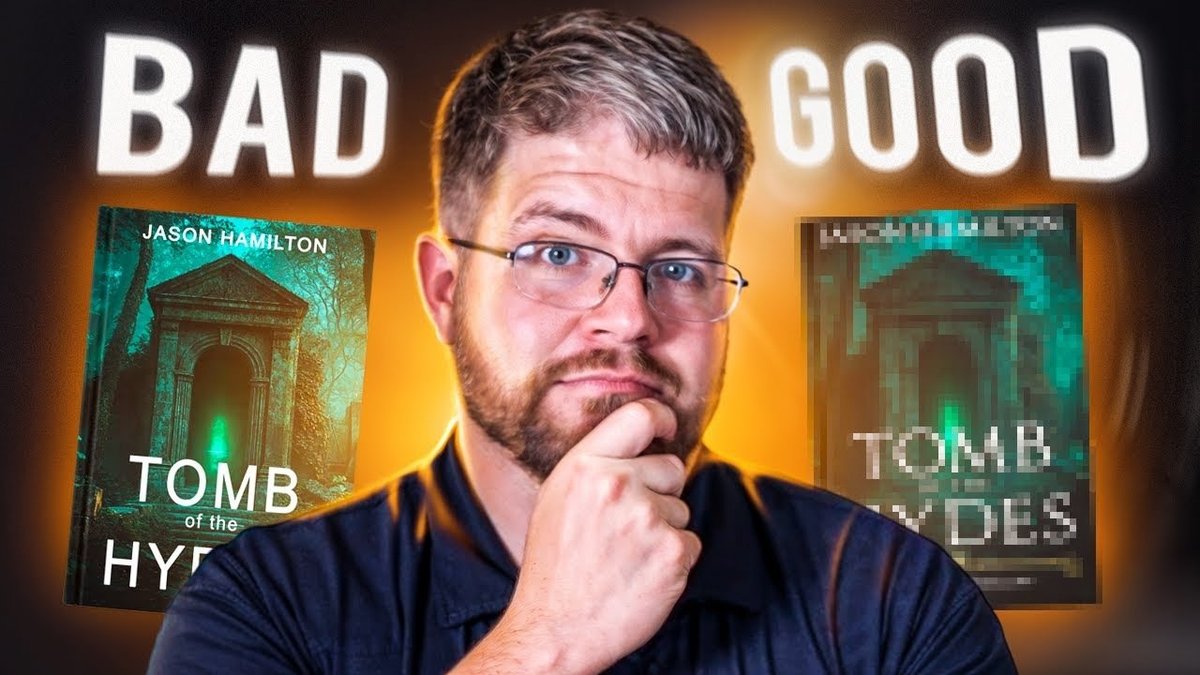
Most AI generators, in their default settings, output images at screen resolution – typically 72 DPI (dots per inch) or around 1024x1024 pixels. While this looks fine on a monitor or a small thumbnail, it is utterly insufficient for print. A standard 6x9 paperback requires significantly higher resolution. If you send a 72 DPI image to a printer, it will appear visibly pixelated and blurry.
The Rule: For print, your cover image needs to be at least 300 DPI. For a typical paperback cover (front, back, and spine), this usually translates to needing the shortest side of your image to be at least 2500 pixels.
Upscaling: The Quality Amplifier
Since AI models rarely generate print-ready resolutions by default, upscaling is a mandatory step. Upscaling increases the pixel count of an image without significant loss of quality, using sophisticated algorithms to "invent" new pixels based on existing ones.
- Built-in Upscalers: Many AI tools now offer built-in upscaling features. Midjourney, for instance, has various upscalers you can select after generating your initial image. Always check if your chosen tool offers this.
- Third-Party Upscalers: If your AI generator lacks a robust upscaler, or if you need even higher quality, consider dedicated third-party upscaling software. Tools like Topaz Gigapixel AI, BigJPG, or even upscaling features within Photoshop can take a 1024x1024 image and intelligently expand it to 4096x4096 or higher, making it print-ready.
Pro Tip: Always upscale before you start adding text or other design elements. Upscaling a finished cover with text can sometimes distort the typography.
Aspect Ratios: Composing for the Canvas
A book cover isn't a square. It's a rectangle, and its specific dimensions depend on your chosen trim size (e.g., 6x9 inches, 5x8 inches) and whether it's an ebook, paperback, or hardcover.
- Generate with Ratios in Mind: When prompting your AI, try to include aspect ratio commands (e.g., in Midjourney,
--ar 2:3for a portrait orientation). This helps the AI compose the image more appropriately for a book cover, minimizing awkward cropping later. - Consider Spine and Back Cover: For print, you'll eventually need a full wraparound cover that includes the spine and back. While AI is excellent for the front, you might need to generate additional elements or use a tool like Adobe Firefly's Generative Fill to extend your front cover image to create a seamless back and spine. Plan for this from the outset.
The Unsung Hero: Why Human Typography Still Reigns Supreme
You've got your breathtaking AI art, upscaled and ready. Now for the title. This is where many authors, eager to keep the AI momentum going, make a critical mistake: trying to get AI to generate text.
The Golden Rule for 2026: Do NOT use AI-generated text for your book's title, author name, or any critical cover copy.
Current AI models, even the most advanced ones, struggle immensely with consistent, legible, and aesthetically pleasing typography. They might produce a semblance of letters, but they're often distorted, misspelled, unevenly spaced (kerning is a nightmare for AI), or simply don't align with professional design standards for your genre. The title is the most important element on your cover after the central image; it needs to be perfect.
The Workflow:
- Generate the AI illustration.
- Upscale it to print-ready resolution.
- Import the image into professional design software (e.g., Canva, Affinity Designer, Photoshop, GIMP).
- Add professional typography using carefully selected fonts that suit your genre. Pay attention to font choice, size, color, kerning, leading, and placement.
- Crucially, ensure your title is legible at thumbnail size. Most book sales happen online, where your cover is first seen as a tiny image. Test legibility on various devices.
This step is non-negotiable. A stunning image with shoddy text looks amateurish and will deter readers faster than anything else.
When to DIY with AI vs. When to Call in a Professional Designer
The rise of AI provides incredible tools, but it doesn't eliminate the need for human expertise. Knowing when to leverage AI yourself and when to invest in a professional designer is key to a successful cover strategy.
Use AI When:
- You're on a Shoestring Budget: If every dollar counts, AI is an unmatched resource for creating high-quality visuals without breaking the bank.
- Testing Concepts and Ideas: Before committing to a full design, AI is fantastic for rapid prototyping. Want to see your protagonist in a desert vs. a forest? Or explore different magical artifacts? AI lets you iterate endlessly.
- Writing Serial Stories with Rapid Release Schedules: For authors with fast-paced publishing pipelines (e.g., Kindle Unlimited serials), AI can quickly generate covers that maintain a consistent visual style across multiple installments.
- You Have Strong Design Instincts: If you enjoy the design process and have an eye for composition, color, and typography, you can achieve excellent results by combining AI generation with your own design software skills.
Hire a Professional Designer When:
- You Have a Budget of $300+: This is typically the minimum threshold where you can expect quality work from a professional designer who understands market trends, typography, and composition specifically for books.
- Your Story Demands Complex Scenes with Precise Interactions: AI struggles with specific, nuanced character interactions, complex group dynamics, or highly detailed scene compositions that require exact placement of elements. For example, a precise depiction of two characters interacting in a very specific way within a unique setting. A human designer can create this with fidelity.
- You Need a Cohesive Brand Look Across an Entire Series: While AI can help maintain style, a professional designer excels at crafting a unified, recognizable brand across 5, 10, or even more books in a series. They ensure consistency in style, color palette, and typography, building a strong visual identity for your author brand.
- You Need Market-Savvy Expertise: A professional designer brings not just artistic skill but also an understanding of genre conventions, reader expectations, and current market trends. They know what makes a cover "pop" in your specific niche and can guide you away from common pitfalls. They also offer a nuanced eye for composition, color theory, and visual storytelling that AI cannot yet replicate. They're not just artists; they're marketing strategists for your book's first impression.
Navigating the Legal Maze: Copyright and Commercial Rights for AI Art
This is perhaps the most crucial, and often misunderstood, aspect of using AI for book covers. The legal landscape around AI-generated art is still evolving, but as of 2026, there are clear guidelines, especially concerning US copyright law.
US Copyright: The "Human Authorship" Requirement
The Rule: As of 2026, AI-generated art generally cannot be copyrighted in the US. The US Copyright Office has repeatedly affirmed that copyright protection requires "human authorship." If an AI created the image without significant human creative input and direction (beyond mere prompting), it's considered uncopyrightable.
What this means for you: You generally do not "own" the AI-generated image in the same way you would a photograph you took or a piece of art you commissioned from a human artist. This means anyone else could potentially use the same image, or a very similar one, without infringing on your rights. While this might seem concerning, for many indie authors, the benefits of affordability and speed often outweigh this specific legal limitation.
Commercial Rights: Permission to Sell
While copyright ownership might be murky, commercial rights are crystal clear and absolutely mandatory.
The Rule: Authors must obtain commercial rights to use AI-generated images on products they sell (i.e., your book covers). Using an image generated under a free tier or a personal-use license for a commercial product can lead to legal issues down the line.
What to Do:
- Always Check the Terms of Service (ToS): Before using any AI tool for a book cover, meticulously read its Terms of Service. This document will specify what rights you have to the generated images.
- Understand Your Plan: Free tiers often severely restrict commercial use, sometimes allowing it for non-profit only or requiring attribution. Paid plans (subscriptions) almost always grant broader commercial rights.
- Ensure Your Plan Grants Necessary Rights: Look for explicit language stating that you have commercial rights to use the generated images on products for sale, including book covers. If it's unclear, contact their support.
- Keep Records: Save screenshots or copies of the ToS at the time you generate your cover, and proof of your subscription. This documentation can be invaluable if any commercial rights questions arise in the future.
Navigating these legal considerations responsibly protects you and ensures your publishing journey remains smooth. Don't let the excitement of AI art overshadow the importance of due diligence.
Making Your Choice: A Decision Framework
With so many powerful AI book cover tools available, how do you synthesize all this information and pick the right one for your project? Here’s a simple decision framework to guide you.
- Define Your Primary Need:
- Stunning Art, No Compromise (with external text): Midjourney
- Ease of Use & Iterative Design (conversational approach): DALL-E 3
- Copyright Confidence & Adobe Integration: Adobe Firefly
- All-in-One Visuals + Layout: Canva's AI Generator
- Artistic/Illustrated Niche: Colorify AI / iColoring AI
- Market-Aligned Layouts: BeYourCover
- Deep Creative Control: NightCafe
- Rapid Idea Testing: StarryAI
- Professional, Structured (non-fiction): Venngage
- High-Res Cinematic: Imagine AI
- Layout & Typography Focus: DIY Book Covers
- Assess Your Technical Comfort:
- Discord-savvy / enjoy command lines: Midjourney
- Prefer conversational AI / web apps: DALL-E 3, Canva, most others
- Already an Adobe user: Adobe Firefly
- Willing to learn design software for typography: All AI tools (it's mandatory!)
- Evaluate Your Budget & Time Investment:
- Lowest budget / most time to learn: Often free tiers of various tools, but prepare for more manual work and external upscaling/typography.
- Mid-range budget / balanced time: Paid subscriptions to the major players offer a good balance.
- Higher budget / minimal time: Consider a professional designer, especially for series.
- Verify Commercial Rights: Before you commit to a tool, go to their website and read their Terms of Service regarding commercial use for your specific plan. This step is non-negotiable for any book you intend to sell.
- Always Plan for Typography: No matter which AI tool you choose for the image, mentally allocate time and resources (even if it's just learning Canva's text tools) for adding professional, legible typography. This is your brand's voice on the cover.
The world of AI is rapidly evolving, bringing unprecedented power to authors. By understanding the strengths and limitations of each tool, staying on top of technical and legal requirements, and knowing when to apply that crucial human touch, you can leverage AI to create compelling, professional book covers that captivate readers and stand out in a crowded market. Your next great story deserves a cover that’s just as extraordinary.